|
   FAQs - Kickstart
- Newbie
- How to Help
Howto Guides How to setup a basic Struts project using Eclipse IDELegal Disclamer* DISCLAIMER - This simple How-To shows you one of many ways to setup a working project using
the Struts framework. This is mainly geared toward struts users who are new to Eclipse, and
don''''t want to spend a lot of time figuring out the differences between their old IDE (if any)
and this one.
I will also apologize ahead of time for the formatting of this page.
In this How-To, I will demonstrate (using Eclipse 2.0.1) how to setup, compile, run,
and debug the struts-example web application that is bundled with the distribution.
Next, I will modify the code to pull some data from a MySql database using the popular
relational mapping tool OJB. (This is actually quite simple) Let''''s get startedBefore we begin, you will need to create a directory somewhere to store your project.
I typically use C:\personal\development\Projects\(some project)
Once that''''s done, extract the struts-example.war to that directory
(using your favorite zip utility)
Delete the META-INF folder because this will be created during the build/jar/war process.
Add a build.xml file to the project root. I use something like this:
<project name="Struts Example" default="main" basedir=".">

    <!--  This is a basic build script, only the minimums here -->

    <!-- Tell ant to use my environment variables -->
    <property environment="env"/>

    <property file="./build.properties"/>

    <!--
         This build script assumes Tomcat 5 is the servlet container.
         Modify as necessary if a different container is being used.
    -->
    <property name="tomcat.home"        value="${env.CATALINA_HOME}"/>
    <property name="servlet.jar"        value="${tomcat.home}/common/lib/servlet-api.jar"/>
    <property name="jsp.jar"            value="${tomcat.home}/common/lib/jsp-api.jar"/>
    <property name="deploy.dir"         value="${tomcat.home}/webapps"/>
    <property name="build.compiler"     value="modern"/>
    <property name="build.dir"          value="./WEB-INF/classes" />
    <property name="src.dir"            value="./WEB-INF/src"/>
    <property name="war.file"           value="struts-example"/>
    <property name="war.file.name"      value="${war.file}.war"/>

    <path id="project.class.path">
        <fileset dir="./WEB-INF/lib/">
            <include name="**/*.jar"/>
        </fileset>
        <pathelement path="${src.dir}"/>
        <pathelement path="${servlet.jar}"/>
        <pathelement path="${jsp.jar}"/>
    </path>

    <target name="clean">
        <delete dir="${build.dir}" includeEmptyDirs="true" />
    </target>

    <target name="prep">
        <mkdir dir="${build.dir}"/>
    </target>

    <target name="compile">
        <javac srcdir="${src.dir}"
               destdir="${build.dir}"
               debug="on"
               deprecation="on">
        <include name="**/*.java"/>
        <classpath refid="project.class.path"/>
        </javac>
    </target>

    <target name="cleanWebApp">
        <delete file="${deploy.dir}/${war.file.name}" />
        <delete dir="${deploy.dir}/${war.file}" includeEmptyDirs="true" />
    </target>

    <target name="war">
        <war warfile="${war.file.name}" webxml="./WEB-INF/web.xml">
             <fileset dir="./" includes="**/*.*" excludes="*.war, **/*.nbattrs, web.xml, **/WEB-INF/**/*.*, **/project-files/**/*.*"/>
             <webinf  dir="./WEB-INF"    includes="**/*" excludes="web.xml, **/*.jar, **/*.class"/>
             <lib     dir="./WEB-INF/lib"/>
             <classes dir="${build.dir}"/>
             <classes dir="${src.dir}">
                 <include name="**/*.properties"/>
             </classes>
        </war>
    </target>

    <target name="deploy">
        <copy todir="${deploy.dir}">
            <fileset dir="./" includes="${war.file.name}"/>
        </copy>
    </target>

    <target name="main" depends="clean, prep, cleanWebApp, compile, war"/>

</project>
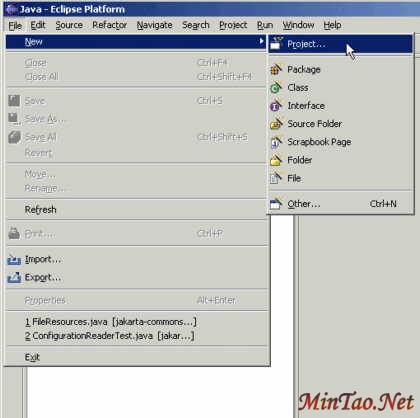
- Create a new project.
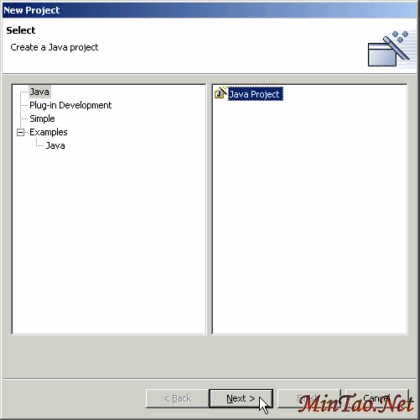
- New Java Project
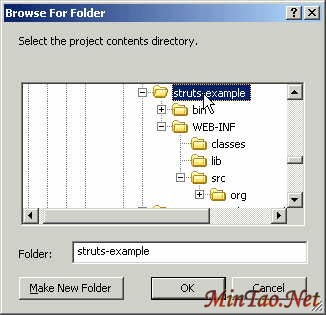
- Browse for the folder you created for your project.
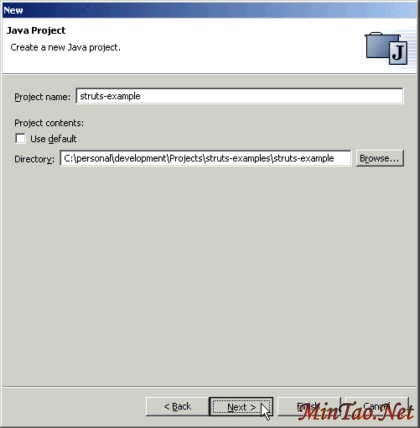
- Eclipse will detect your source folders from any subdirectories under your project.
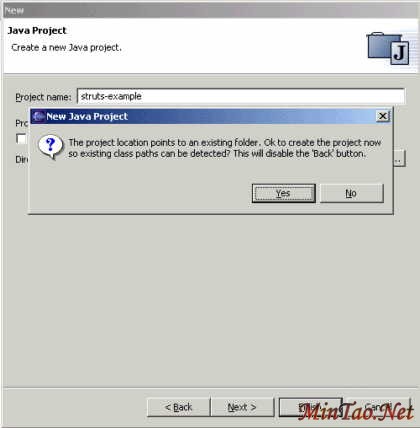
- In our case, this is where the src folder was placed.
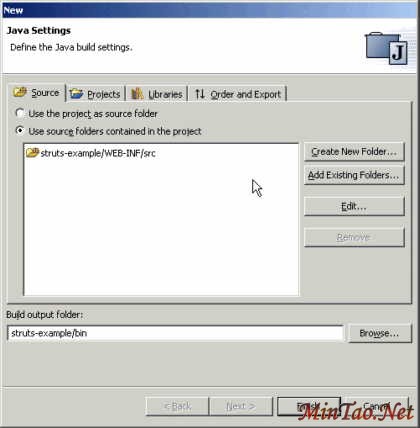
- Default standard libs are automatically added depending on the type of project.
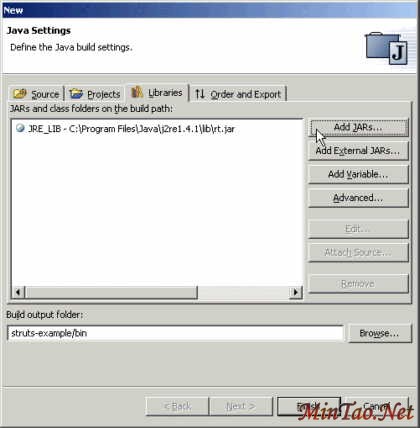
- Add the existing web app jars.
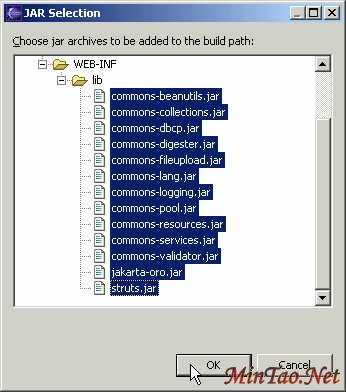
- Now we need to add a few jars from the file system.
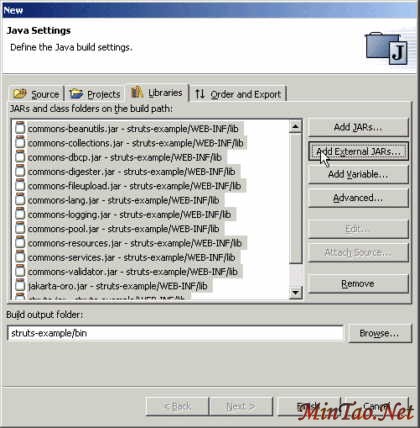
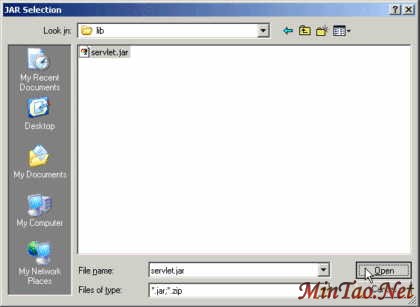
- We always need this one (servlet.jar)
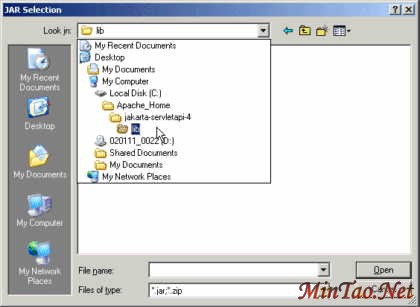
- Ahhhh...everything looks ok for now. You can always go back and modify these settings
later.

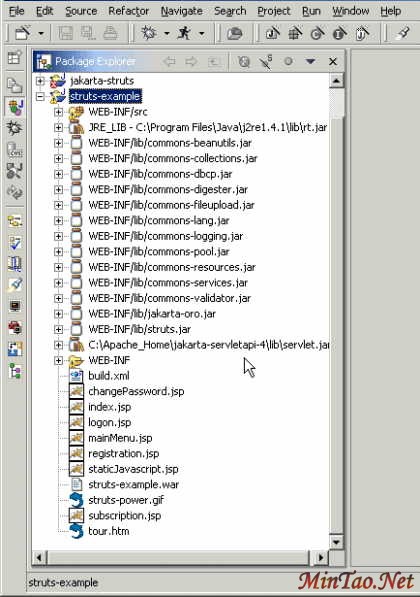
- When everything settles down, you should see something like this (of course, it might look different depending on your installation/customization):
- Compilation warnings and errors are detected immediately. In this screenshot, I drill down
into the source folder, package, file, class, and double click on the method....which
brings up the source editor. I hover the mouse over the offending warning to see
a description of what''''s wrong.
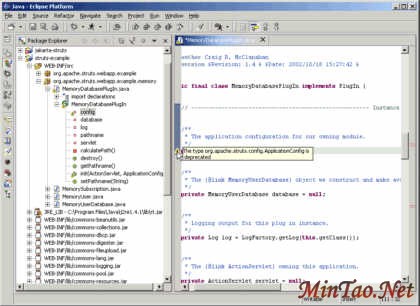
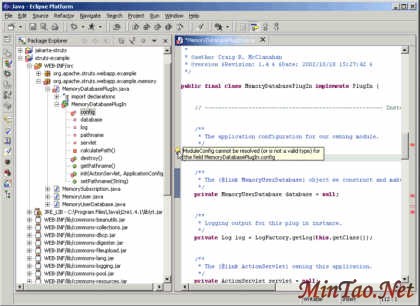
- I changed ApplicationConfig to ModuleConfig, then saved and now I see new errors.
You can right click and import ModuleConfig right from the error.
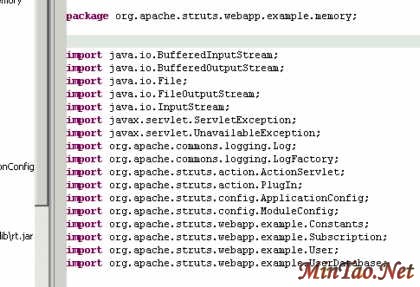
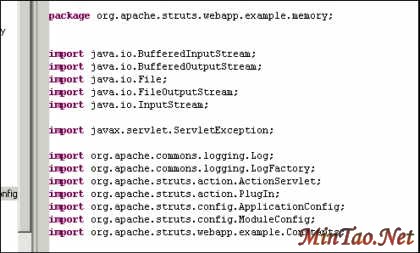
- A quick look at the import section.
- Right click, Source, Organize Imports
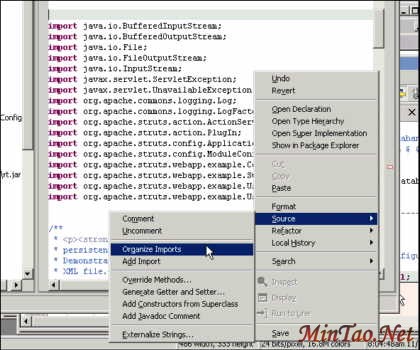
- Ahhhh...better
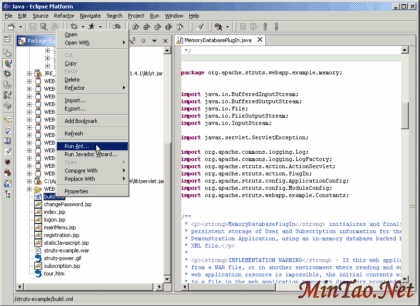
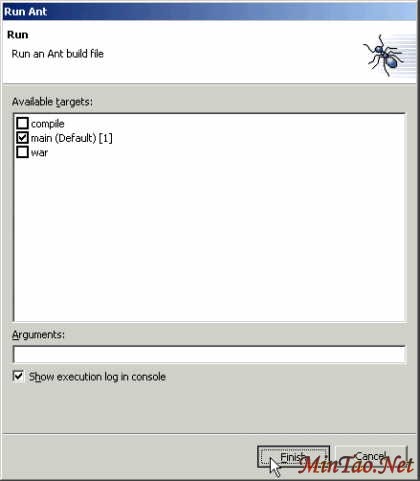
- From the Package Explorer, right click your build.xml and run Ant:
- Is this cool or what?
- Uh Oh!

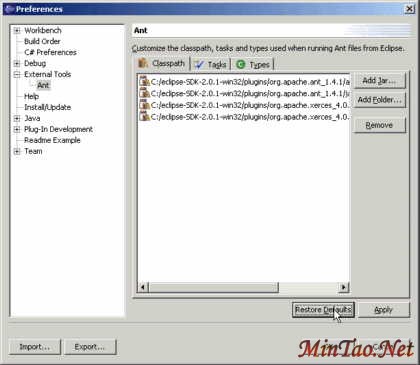
- Quick look at what jars are being used to process my build.
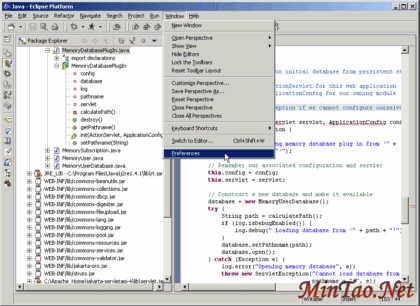
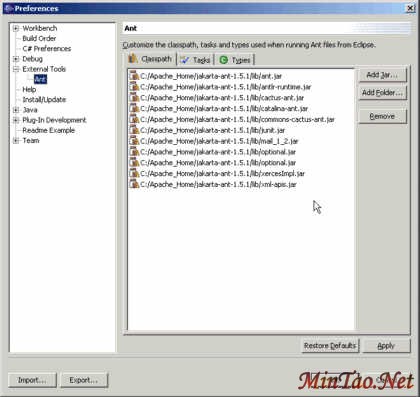
- I simply removed all the existing jars from the IDE''''s Ant configuration and
added all from my own installation.
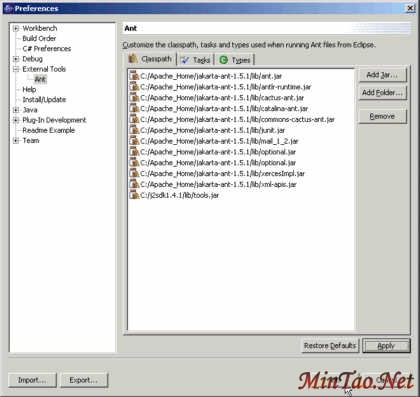
- Can''''t forget that last one
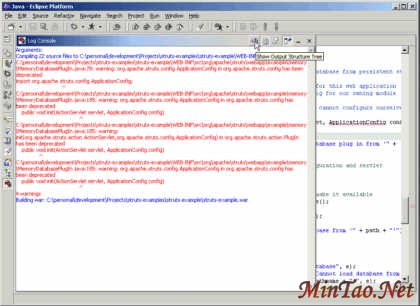
- Everything went ok (for me)
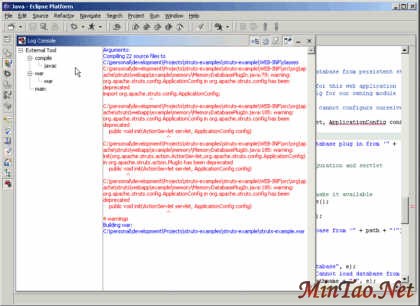
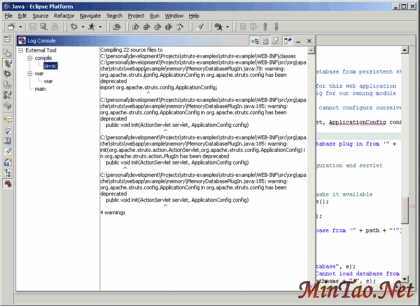
- Time to test-drive
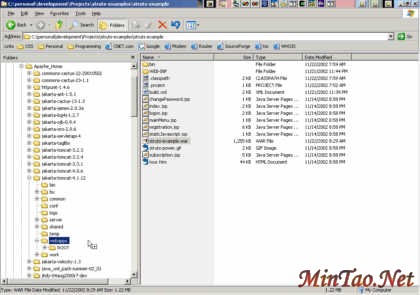
 [1] [2] 下一页
[办公软件]在Excel中插入时间/日期TODAY和NOW函数 [网络安全]激活型触发式AutoRun.inf病毒和rose病毒的清除方案
[Web开发]asp.net c#其它语句之break、continue、goto实例介… [Web开发]一大堆常用的超强的正则表达式及RegularExpressio…
[平面设计]制作动态GIF图像的好帮手─Coffee GIf Animator [平面设计]功能超强的GIF动画制作软件─Ulead Gif Animator
[平面设计]AutoCAD常用快捷命令(外加中文说明) [平面设计]AutoCAD常用快捷命令(字母类,外加中文说明)
[平面设计]AutoCAD快捷命令介绍 [平面设计]多种方法解决AutoCAD打印时出现错误
|








 注:本站部分文章源于互联网,版权归原作者所有!如有侵权,请原作者与本站联系,本站将立即删除! 本站文章除特别注明外均可转载,但需注明出处! [MinTao学以致用网]


