Reports builder 开发出来的报表挂到oracle ERP
1.create report
在reports builder 里面开发(修改)报表,然后保存为*.rdf文件.
2.ftp to $ORACLE_HOME/applmgr/prod/moudle_name/report/
注意路径,推荐使用cute-ftp
3.create Executable in System administrator
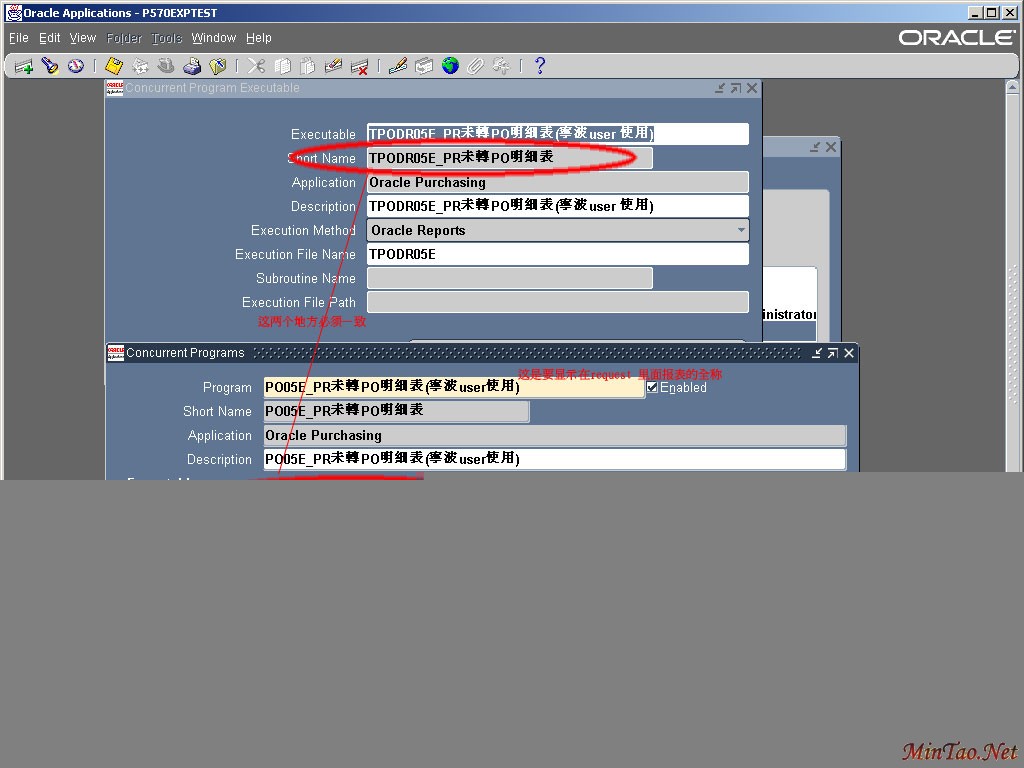
Path: (system_administrator)-concurrent-program-executable
4.define report in Define
Path: (system_administrator)-concurrent-program-define
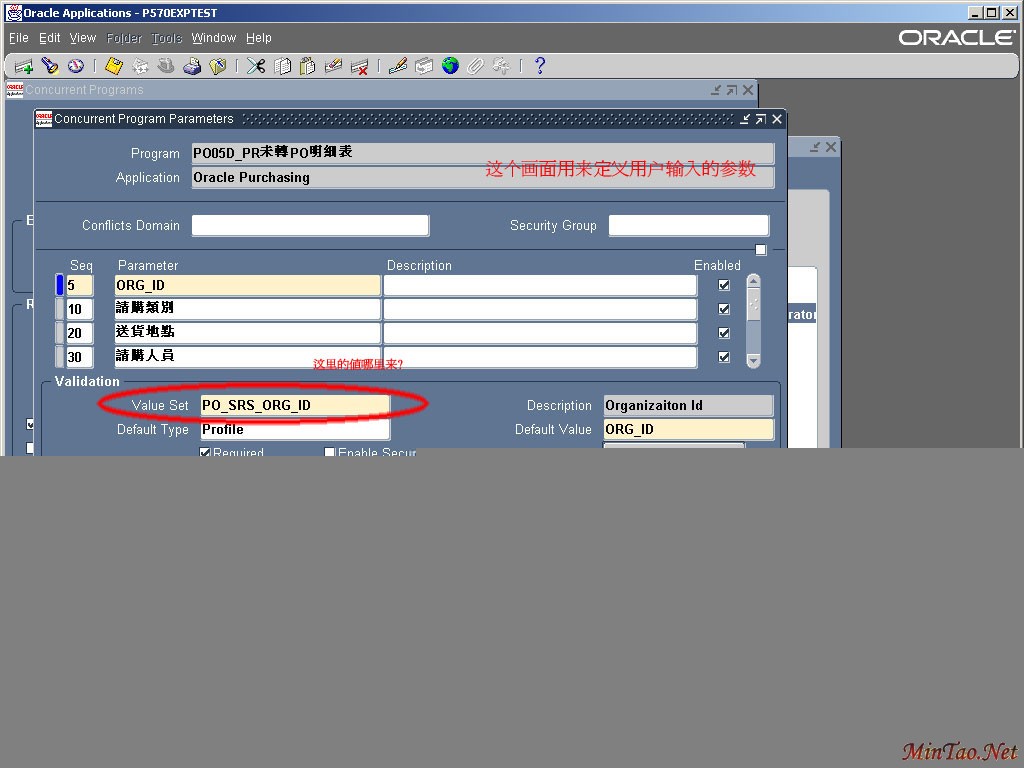
下面的是定义,也就是第4步, 上面的是第3步打开的窗口,这个对应一致很重要,要注意和区分哪里输入什么.
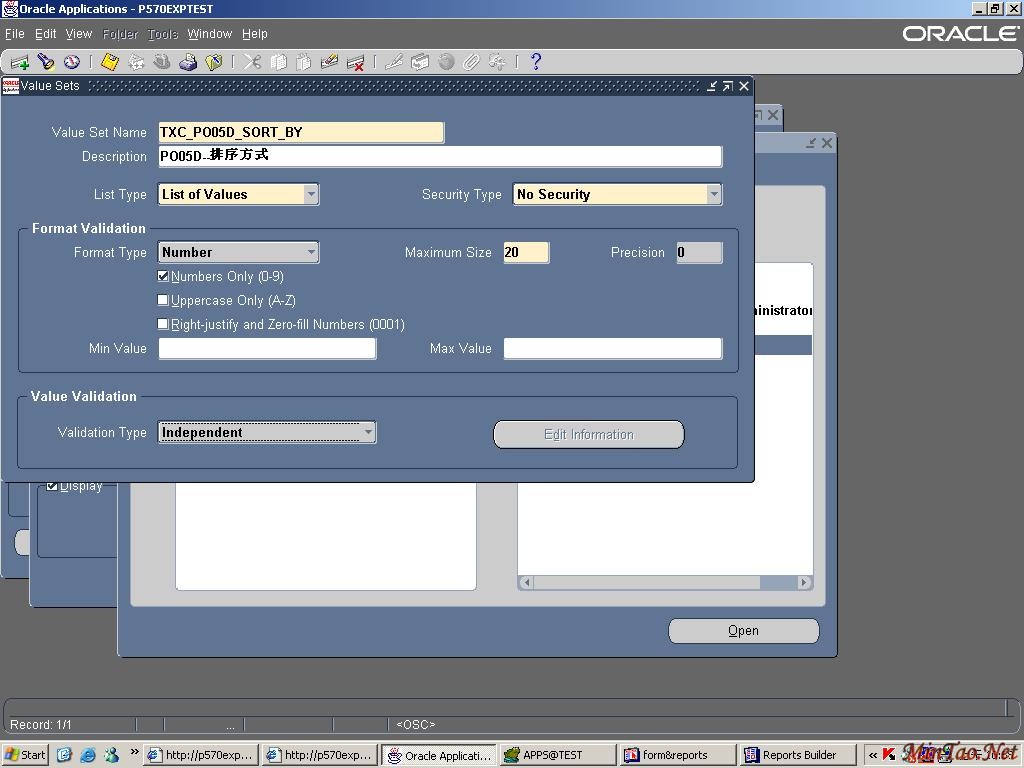
定义上面的值在:
5.add to request group
6.run it with proper responsibility
这个就不用说了,到相应的模块运行你写的报表
Copyright @ 2007-2012 敏韬网(敏而好学,文韬武略--MinTao.Net)(学习笔记) Inc All Rights Reserved. 闵涛 E_mail:admin@mintao.net(欢迎提供学习资源)
鄂公网安备 42011102001154号
站长:MinTao ICP备案号:鄂ICP备11006601号-18










 注:本站部分文章源于互联网,版权归原作者所有!如有侵权,请原作者与本站联系,本站将立即删除! 本站文章除特别注明外均可转载,但需注明出处! [MinTao学以致用网]


